Here’s a list of my 2010 resolutions and where I am:
- Get over feelings I have (yeah, I don’t feel that way anymore, and frankly I don’t care)
- See Aunt Ruth & Aunt Janet more (ugh, I saw AR like 3 times this year, AJ like no times… I suck)
- Eat less meat and find more things to eat that are vegetarian (I find it really hard to do this, I’m eating more fish but it gets hard at restaurants, I find myself eating fish or multiple sides)
- Finish the garage (everything else but the driveway is complete)
- Get Candi off the cone (her paw is almost 100% healed but this will sadly be never done)
- Settle Dad’s estate (not under my control)
- Fix the Camaro and paint it (runs fine, needs an oil change, paint = DONE)
- *you know*
- Ride the scooter to work (whenever I can, I do)
- Host at least three parties (haven’t even had one yet, a few mini parties, maybe in a few weeks)
- Snowboarding, master the bunny slope and be able to get off the lift without falling (nope)
- Go see a general practitioner (done, I have high cholesterol)
- Donate money to charity (haven’t been able to donate to anything since I have bills to pay and people I need to support)
- Go on vacation and take more weekend breaks (Vegas, went to OC, plan to go on more little trips)
- Get better at debating (I’m well in the loop)
- Make more friends (I made a few this year, I want to make more)
New goals:
- I may delete my facebook page
- I’ll be setting up my own wiki of my life
- Take more pictures… maybe… of parties I attend and stuff
That Comcast commercial is completely true. FiOS really does do a lot of destruction when installing their crappy service. I blogged about this when I got FiOS installed.
A bunch of friends and I were up for a movie the other weekend but FiOS OnDemand was down. This was at like 11:00 PM on a Saturday night. Like prime time for watching a movie. We called them up and they said they were doing maintenance… on a Saturday night. FAIL.
Our HD box has also been finiky. It’s pretty slow. You have to be very delicate when choosing menu options. For instance, I can’t go down to Recently Viewed stuff or else it will freeze. If I want to see something I stopped earlier, I have to navigate back to where I found it. FAIL.
Anyway, the main reason I’m blogging is because FiOS totally screws up the streets. I saw their van a few months ago installing their crappy service on Broadwood Drive in Rockville (a street that I commute on). They had to navigate traffic around their crappy little cones in order to drill the street to lay their crappy wiring. I should have called then but I thought they’d actually clean up their mess.
When I take my scooter on this road, there are bumps everywhere and uneven pavement. There’s even a place really bad where I have to completely slow down. It’s like a reverse speed bump. The scooter doesn’t like it. Neither does the Camaro.
So I finally thought about calling them the other day. I thought they were going to hang up on me but surprisingly, they created a ticket for it. I had to give them all my Verizon account information. Not sure why they needed that but whatever.
They called me back the next day and basically said it wasn’t their problem. The city of Rockville had to fix it even though they were the ones who installed it! My tax dollars going to another greedy corporation for stuff that THEY’RE responsible for fixing. It’s like the oil rig explosion in the golf… except this is 2,398,438 times worse… just kidding.
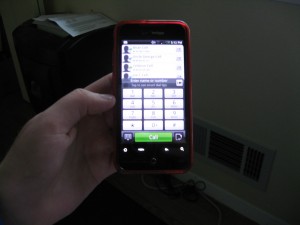
I’ve been playing around with the Incredible for about a week now. I got it earlier than it was released and got a pretty sweet deal (two Incredible’s for around $300). I signed another 2 year deal with Verizon for 700 minutes, unlimited text, unlimited data, etc for about $180/month for two phones.
I took pictures of everything on my flickr.
After having it for a week, I have to say, this phone does rock. Here’s a list of stuff that’s cool and what’s not.
Cool Stuff:
- Android Market has tones of apps. Pretty easy to use interface too.
- It’s FAST. I mean FAST. It’s probably faster than my internet connection at work.
- It knows which direction I’m facing! It’s that precise.
- The traffic on Google Maps is awesome. It has like all the roads, even the Pike and 28! You can also zoom in and out with your fingers. It also has satellite view.
- It got a lot of information from Facebook. Once it recognized the name, I was able to port over their information (even their avatar) on my phone.
- The camera is pretty cool. Here’s a picture I took: Dimitri At His Desk
- The five desktop screens. I’m worried I’m going to run out of room for my shortcuts and widgets.
- The desktops are cool. I have mine set on a phone one with water that I can tap. There are lots more downloadable on the Android Market.
- The GPS on this thing is AMAZING. As you’ll read, I have a compass app which pinpoints my precise location. It also knows what direction I’m facing. I’ll never be lost again.
- The browser is pretty brilliant. You can zoom in and out with your fingers. It resizes everything for easy viewing.
- The icon on the top shows new messages and emails, which is nice.
- It has a pretty loud ringer. That’s what I hated about the Voyager, it was too soft.
- It’s light weight. It’s lighter than the Voyager. It fits naturally in your pocket and hands.
- Getting and placing calls takes getting used to. If your face isn’t near your phone during a call, it recognizes that and it pops up a screen with talk time, end call button, and phone pad. It also says what city the phone is registered on on Caller ID.
- Good software to read pdf, doc, xls is really good. I wouldn’t want to write a paper on the phone but I probably could.
- The app Note Everything, saves stuff to the card so I can easily get it from the phone via USB or card reader.
- I can easily send more than 1 picture at a time.
- Of course, multitasking!
Not So Cool:
- I can’t figure out how to pull up my contacts while in a phone conversation. I needed to yesterday. I had to hang up, pull up the number, then text it.
- If you have your mail sync with your phone, if you send or delete a message, it won’t save it in Yahoo Mail. It doesn’t put the message in the trash upon delete and there’s nothing in my sent folder in Yahoo from any email I sent with the phone.
- I haven’t figured out a way (I don’t think there is one) to save individual texts. It has it in a long conversation, which is nice since you can see what was said, but I can’t delete individual texts, I’d have to delete the entire conversation.
- Android Market has a lot of repeat apps… they may have over 50,000 but how many of them are actually unique?
- Some of the cooler apps cost money where as online they are free.
- The FaceBook App needs some work. It limits what I can view on people’s profiles. Nor does it have events yet. It would be cool if it automatically put events in your calendar.
- Maybe I just haven’t figured it out yet, but the Google Maps needs a layer for gas stations and food and stuff.
- Maybe it’s a bug in the widget but it doesn’t show the sun until around 11AM on my phone… it’s still the moon.
- It asks for birthdays in my contacts, but it doesn’t notify me of birthdays or anything, so that’s pretty useless.
- The keyboard is quirky and takes some getting used to. I added a few words that weren’t words and I’m not sure how to delete them from the library. I (as well as Brian) often does a “.” instead of a space. I miss the Voyager full qwerty keyboard with actual buttons.
- Not all apps rotate when you turn the phone. The desktop doesn’t even rotate. YouTube videos have to be viewed horizontally.
- I couldn’t figure out the camera at first. I didn’t know how to take a picture. Then I tried the bottom button, and that worked. That’s the only thing I use that button for. You can use it to maneuver screens but it goes in the opposite direction you’d expect.
- Battery life isn’t so great. But if you get the Task Killer app, that saves a lot. Before I had that, my battery would barely last a day. Now it lasts until I put it on the charger at night.
- Figuring out the ringer is kind of annoying. It only has three modes (which are called profiles): Normal, Vibrate, and silent.
Apps I Downloaded:
- 10001 Cocktails (Which came in handy in OC… I looked up some drinks and ordered them. The bartender was impressed!)
- Advanced Task Killer Free (A must! You have to get this in order to close your apps. If not, your apps will run in the background sucking up resources and batteries.)
- Air Horn (To make as much noise as we can!)
- Bubbles (Just a goofy application to create bubbles and pop them.)
- Compass (VERY precise. Gives you longitude and latitude as well as the address of where you are. It identifies EXACTLY where I am.)
- DrunkBlocker (So I don’t accidentally call people when I’m drunk.)
- FlashLight (Pretty cool, so you can see where you’re going.)
- Google Sky Map (Awesome app!)
- MeetroDC (So I know when the next trains are coming.)
- Moon Phase (Tells what phase the moon is in and when the next full moon is.)
- Note Everything (A notepad kind of thing which also has a white board.)
- Shazam (To identify songs.)
- Twidroid (For Twitter.)
- Urbanspoon
Basically, the phone is awesome. Totally worth it. It took a lot of getting used to. It took Brian an hour to figure out how to get my ring tones and it took a long time to figure out how to customize the desktops. I’d give the phone an 8.5/10.
